IntervalCoach is now on the Apple Watch. The latest iOS update ships with a full Watch app, so the numbers your coach works with every morning, and the workout it planned for you, are one wrist-raise away.
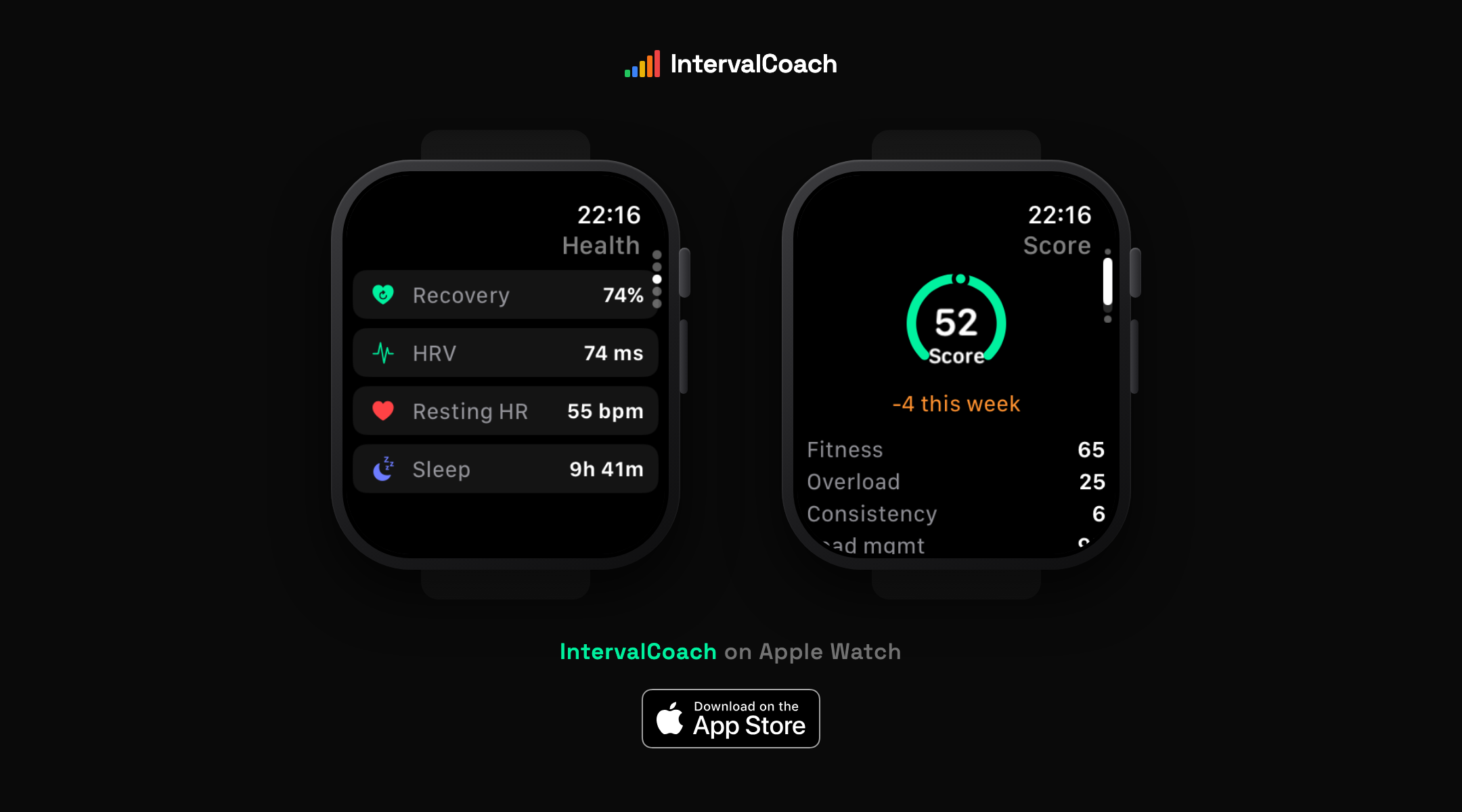
What's on the watch
The app keeps the morning routine small. A glance gives you:
- Your readiness score — the same score the coach uses to decide whether today's session stands, gets adapted, or becomes a rest day.
- Today's workout — what's planned, so you know what kind of day it is before you're out of bed.
- Health metrics — recovery, overnight HRV, resting heart rate and last night's sleep.
- Your training score — with the weekly trend and the breakdown behind it: fitness, overload, consistency and load management.
And when you finish training, you can rate your workout right from your wrist: how it felt, how hard it was. That feedback flows into the same post-workout analysis and coaching memory as always, you just don't need to pull out your phone for it.
Complications, including the Smart Stack
Your readiness and training score are available as watch face complications, so the two numbers that summarize your training life can sit on the face you already look at all day. They work in the Smart Stack too, where watchOS surfaces them when they're most relevant.
Auto-scheduling: your plan, in the Workouts app
This is the part we're most excited about. Turn on auto-scheduling in the app's settings and your planned workouts for the coming days appear in the Watch's own Workouts app automatically, on the right day, at the planned time, ready to start.
Not a name and a duration: the whole session. The warm-up, every interval block with its repeats, and the cool-down all come along. On the bike, each step carries its power target based on your FTP, so the Watch can guide you through the session with live alerts. On the run, you see each step's name and goal as you move through the structure.
And because your plan isn't static, the sync isn't either. When the coach adapts a session, or you move a workout, the Watch follows: the app refreshes the scheduled list throughout the day, replacing what changed. The workout on your wrist is the workout on your calendar.
How to get it
- Update IntervalCoach on your iPhone to the latest version, or download it from the App Store if you don't have it yet.
- The Watch app installs alongside it (check the Watch app on your iPhone if it doesn't appear automatically).
- For auto-scheduling, flip the toggle in the app's settings and grant the Watch permission once.
That's it. No separate login, no configuration: the Watch shows the same coaching picture as your phone and the web.
Where this fits
The Apple Watch has been feeding IntervalCoach for a long time: overnight HRV, resting heart rate, sleep and workouts flow in through the Apple Health integration, and they drive the daily readiness decisions described in How IntervalCoach Adapts Your Workout Every Day. What was missing was the way back: the coaching answering on the same device that collects the data. That loop is now closed. Your watch tells the coach how you slept; the coach tells your watch what to do about it.